

A few years into remote and hybrid hiring being the norm rather than the exception, interviewers have quietly raised the bar. A frozen screen or an echoing room used to get a polite pass. Now it reads as a preview of what it would be like to actually work with you remotely — and for a remote role, that preview matters as much as your answers do.
This guide covers both halves of remote interview prep that most advice treats separately: the physical and technical setup, and the substance of what you actually say once the call connects. Getting only one right isn't enough — a great answer delivered through a stuttering connection lands just as poorly as a polished setup with a vague, unprepared answer behind it.
Based on current remote-hiring guidance from Kelly Careers, JobsHives, and OphyAI virtual-interview research, 2026.
Want feedback before your next interview?
Take our free assessment to see how your profile and interview readiness compare against what remote employers are screening for.
Take Free Assessment →1. The Physical Setup: Camera, Lighting, Audio, Background
Before a single word is spoken, the interviewer has already formed an impression from your video feed. That's not shallow — for a remote role, it's a legitimate, if small, data point about how you'll show up on the hundreds of video calls the job actually involves.
Camera position and quality
Position your camera at eye level, roughly an arm's length away. A laptop propped on a stack of books to raise it to eye level costs nothing and fixes the unflattering "looking down your nose" angle that a low camera creates. If your built-in webcam produces a grainy or dim image, a basic external 1080p webcam is a worthwhile, inexpensive upgrade — the Logitech C920 is a commonly recommended baseline that handles most home lighting conditions well.
Lighting
Face a window if you can — natural light in front of you, not behind you, is the single biggest lighting improvement most people can make for free. If natural light isn't available or reliable, a small desk lamp or an inexpensive ring light positioned in front of and slightly above your face fills in the gap. Avoid sitting with a bright window or lamp behind you; it forces the camera to expose for the background, leaving your face in shadow.
Audio
Audio quality matters more than video quality for how exhausting a call feels to sit through. Built-in laptop microphones pick up room echo and background noise; a basic USB microphone in the $30–$60 range produces a noticeably clearer, more professional sound and requires no special software. If a dedicated microphone isn't in the budget, wired headphones with an inline mic are a reasonable middle ground.
Background and framing
A clean, uncluttered space with neutral colors keeps attention on you rather than what's behind you. A blank wall, a simple bookshelf, or a plain curtain all work. If your actual space is noisy or cluttered and can't be reset, a platform's built-in blur or virtual background is an acceptable fallback — just test it beforehand, since some virtual backgrounds glitch around hair or hand movement in ways that are more distracting than a slightly messy real room.
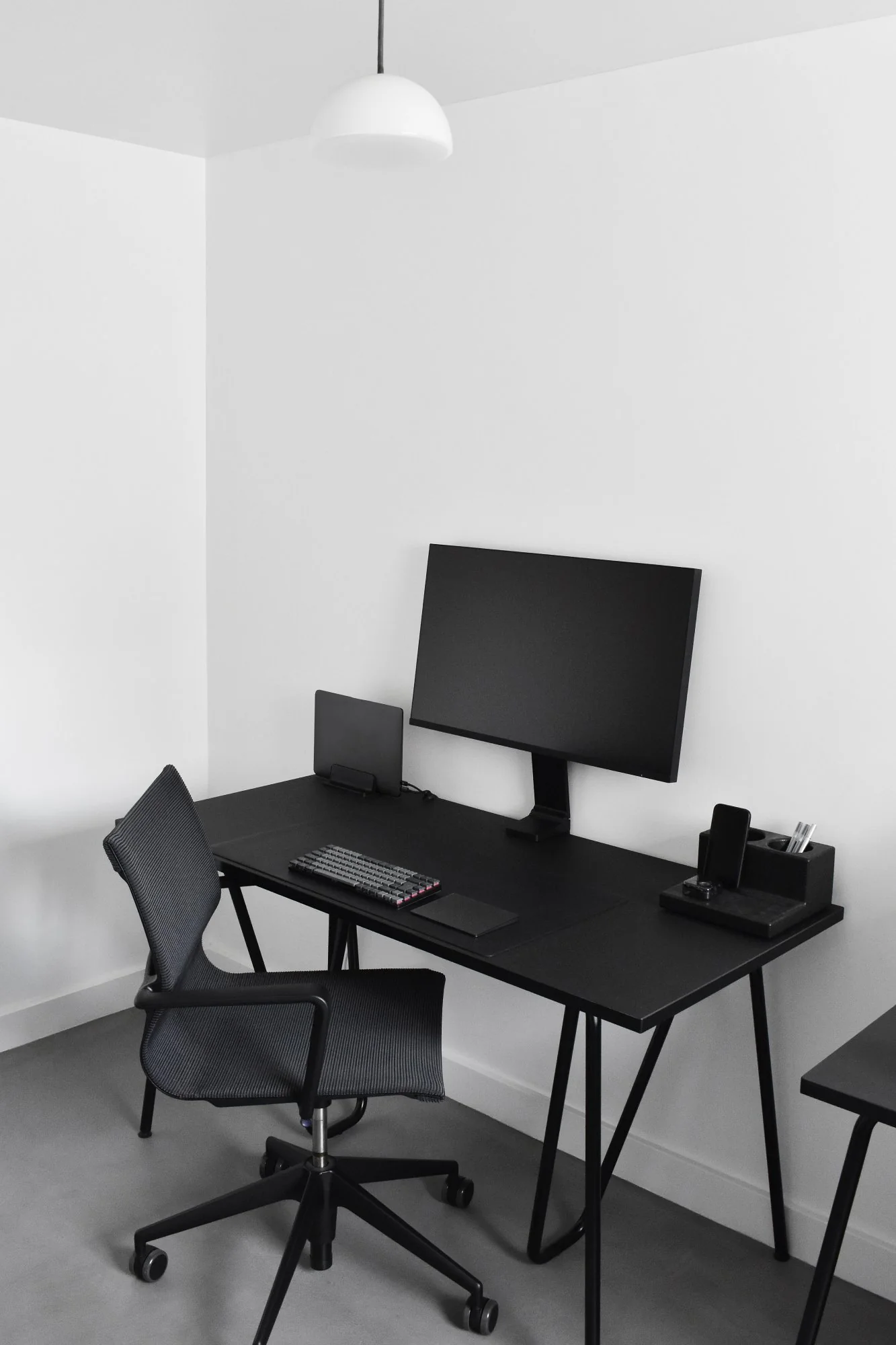
Eye-level camera, light in front of you rather than behind, and a mic that isn't your laptop's built-in one — three changes that cover most of the improvement.
🎥 Logitech C920 1080p Webcam
The standard budget recommendation for a sharp, well-lit image in most home lighting conditions — a meaningful upgrade over most built-in laptop cameras.
View on Amazon →🎙 USB Condenser Microphone
Plug-and-play audio upgrade that removes the echo and room noise a built-in laptop mic tends to pick up — often the single highest-impact, lowest-cost fix for call quality.
View on Amazon →Disclosure: Links above may be affiliate links. We may earn a commission at no extra cost to you.
2. The Technical Checklist
Run through this 24 hours before the interview, not the morning of:
- ☐ Test camera, microphone, speakers, and internet connection using the exact device and location you'll use for the real call
- ☐ Use a wired ethernet connection if available — Wi-Fi can drop at the worst possible moment, and a cable removes that risk entirely
- ☐ Close unnecessary applications and browser tabs to prevent notifications, lag, or accidental screen-share mishaps
- ☐ Restart your computer roughly 30 minutes before the call to clear background processes and pending updates
- ☐ Confirm the meeting link and platform, and install/update the app in advance rather than during the join window
- ☐ Have a backup plan: the interviewer's phone number or a mobile hotspot ready, so a dropped call doesn't turn into a lost interview
- ☐ Silence your phone and any smart devices in the room that might chime or light up mid-call
Practical tips for standing out specifically in remote hiring processes, from application through the video interview itself.
3. Platform-Specific Notes: Zoom, Teams, Google Meet
| Platform | Worth knowing |
|---|---|
| Zoom | Check whether "Touch Up My Appearance" and virtual background settings are on before the call — subtle over-smoothing can look odd on some cameras. Gallery view is useful for panel interviews; speaker view keeps focus on one-on-one conversations. |
| Microsoft Teams | Background blur is generally reliable; test it once beforehand since edge artifacts can appear around hair or glasses in some lighting. Teams often auto-joins audio through a connected headset — confirm the right input device is selected before the call starts. |
| Google Meet | Runs in-browser, so close other tabs beforehand to avoid lag. Check your browser has camera/mic permissions granted ahead of time rather than discovering a blocked permission during the join window. |
4. Body Language on Camera
Video calls flatten a lot of the non-verbal cues that carry weight in person, which means the ones that do come through — eye contact, posture, pacing — carry more weight than usual.
- Look at the camera lens, not the screen, when speaking. This is the single most counterintuitive adjustment: looking at the interviewer's face on your screen feels natural but reads as looking slightly away on their end. Glancing at the lens periodically, especially during key points, creates the impression of direct eye contact.
- Sit up and lean slightly toward the camera. This one small adjustment communicates engagement more effectively on video than it would in person, where posture is read alongside a dozen other cues.
- Don't watch yourself on screen. Most platforms let you hide your own video preview — worth doing, since watching your own face is distracting and can make you appear self-conscious rather than present.
- Pause before answering. A brief pause reads as thoughtful in a video call in a way it can feel awkward in person; use it rather than rushing to fill dead air, especially on a connection with any lag.
- Stay muted when not speaking, and don't forget to unmute. Simple, but one of the most common self-inflicted stumbles in group or panel video interviews.
The interview is a preview of what it's like to work with you remotely. Everything about how you show up on the call is, in a small way, part of the answer.
5. One-Way / Asynchronous Video Interviews
A growing share of early-stage screening now happens through recorded, one-way video interviews — you're shown a question, given a short prep window, and record your answer within a time limit, with no live interviewer on the other end. These can feel more uncomfortable than a live call precisely because there's no back-and-forth to soften an awkward pause.
A few adjustments that help specifically for this format:
- Treat the camera lens as a real person and speak with the same energy and eye contact you'd bring to a live call — it's easy to flatten your delivery when there's no one visibly reacting.
- Do a test recording first and watch it back before your real attempt, checking framing, lighting, and audio the same way you would for a live interview.
- Use the prep window to jot a two- or three-point outline rather than a full script — reading verbatim tends to sound stiff on recorded video in a way it's more forgivable live.
- If you're allowed multiple takes, use them, but don't over-polish past two or three attempts — a slightly less-than-perfect but natural-sounding answer usually plays better than an eighth take that sounds rehearsed.
6. Preparing Your Answers
The setup gets you a fair hearing. The substance of your answers is still what gets you the offer. A few preparation habits that consistently outperform last-minute cramming:
- Use the STAR structure for behavioral questions — Situation, Task, Action, Result — to keep answers concrete and quantified rather than abstract.
- Prepare three to five stories in advance that can each flex to answer multiple common questions (a conflict-resolution story, a leadership story, a failure-and-recovery story), rather than trying to prepare a unique answer for every possible question.
- Research the interviewer if their name is shared in advance, and prepare two or three specific questions for them that go beyond what's on the company's careers page.
- Do at least one full mock interview, ideally recorded, so you can watch it back the way an interviewer would see it — most people are surprised by a verbal tic or pacing issue they weren't aware of until they see themselves on camera.
🎧 Fearless Job Hunting — Career Coach Audiobook Series
A practical listen for commute or gym time in the days before an interview — reinforcing STAR-format storytelling and common question patterns without needing to sit down with a book.
Listen on Audiobooks.com →🎧 Never Split the Difference — Chris Voss (Audiobook)
Useful beyond salary negotiation — the tactical empathy and mirroring techniques covered here translate directly into building rapport quickly in a short interview window.
Listen on Audiobooks.com →Disclosure: Links above may be affiliate links. We may earn a commission at no extra cost to you.
6b. Common Remote Interview Questions and How to Approach Them
Beyond standard interview questions, remote and hybrid roles tend to include a recurring set of questions specifically probing whether you can work independently and communicate clearly without in-person oversight. A few of the most common, with guidance on what a strong answer actually demonstrates:
"How do you stay productive and avoid distractions when working from home?"
Avoid a generic answer like "I just focus." Interviewers are listening for a specific system: a defined workspace, a way you block time (calendar blocking, a task list, a specific method), and how you handle the predictable distractions of a home environment. Naming one concrete example — "I use a dedicated desk and block two uninterrupted hours each morning for deep work before checking messages" — demonstrates the system rather than just asserting discipline.
"How do you communicate with a team you don't see in person?"
Strong answers name specific tools and habits rather than vague reassurance: over-communicating status on async tools like Slack or a project tracker, defaulting to written summaries after calls, and proactively flagging blockers rather than waiting to be asked. This question is really asking whether you'll become a communication bottleneck on a distributed team — answer it by describing the specific habits that prevent that.
"Describe a time you solved a problem without immediate access to your manager or team."
This is a STAR-format question in disguise, and it's specifically testing independent judgment. A strong answer shows you made a reasonable decision with the information available, documented your reasoning, and looped in the right people once you had an update — rather than either freezing until someone was available or going fully rogue without any communication.
"What does your ideal home office setup look like?"
This is partly small talk and partly a genuine check on whether you've thought seriously about working remotely long-term rather than treating it as a temporary arrangement. A brief, concrete answer — mentioning your actual setup, or what you'd invest in first if starting fresh — reads as more credible than a vague "anywhere with wifi" response.
6c. What Remote Employers Are Actually Screening For
Underneath the specific questions, most remote-hiring interviews are trying to answer four underlying questions about you. Understanding them helps you weight your prep time correctly:
- Can you work independently without close supervision? This is usually the single biggest concern for a hiring manager building a remote team, especially for a first-time remote hire without a track record to point to.
- Will you communicate proactively, or will information have to be extracted from you? Distributed teams live or die on written communication. Interviewers are listening for signs you default to over-communicating rather than under-communicating.
- Do you have a stable, professional environment to actually do the work? This is part of why the setup half of this guide matters practically, not just cosmetically — a chaotic or unstable home setup during the interview raises a legitimate question about day-to-day reliability.
- Have you actually thought about remote work as a real working style, not just a perk? Candidates who can speak specifically about how they structure a remote day, rather than treating remote work as simply "not going to an office," tend to read as lower-risk hires.
Framing your prep around these four underlying questions — rather than only rehearsing answers to the literal questions you expect — tends to produce stronger, more consistent performance across an entire interview loop, even when a question comes up that you didn't specifically prepare for.
7. Common Mistakes and Quick Fixes
| Mistake | Quick fix |
|---|---|
| Making "eye contact" with the interviewer's face on screen | Train yourself to glance at the camera lens, especially when making a key point |
| Continuing through bad audio or a frozen video | Say so directly: "I think my audio is cutting out — can you hear me clearly, or should I switch to a phone call?" |
| Background noise or a side conversation mid-call | Mute proactively when not speaking, and let household members know the exact call window in advance |
| Checking phone or email during the call | Close all tabs and apps, put the phone in another room entirely |
| Joining more than 5–10 minutes early or arriving late | Aim for the 2–3 minute early window — enough to show punctuality without an awkward extended wait in the call |
- You've tested your exact setup — device, location, lighting — at least once beforehand
- You have three to five flexible STAR-format stories ready
- You know your backup plan if video or audio fails mid-call
- You've done at least one recorded mock run and watched it back
- You're planning to use your laptop's built-in camera and mic without testing them
- You haven't checked what's visible behind you on camera
- You're relying on improvising answers without any prepared stories
- You don't know which video platform the interview will use
7b. Panel and Group Video Interviews
Multi-person video interviews add a layer of coordination that single-interviewer calls don't require. A few adjustments specific to this format:
- Switch to gallery view so you can see everyone's reactions, not just whoever is currently speaking — useful for gauging the room and knowing who to address when a question could apply to multiple people.
- Address the person who asked the question directly, then briefly acknowledge the group. A short glance toward the camera to include everyone, without losing the direct connection to whoever's question you're answering, reads as naturally inclusive rather than scattered.
- Note names as they're introduced, ideally jotting them on your prep notes, so you can reference a specific panelist's earlier question or comment later in the call — a small detail that signals attentiveness in a format where it's easy to blur people together.
- Expect more silence between your answer and the next question than you would in a one-on-one call, since panelists are often coordinating who asks next. Resist the urge to fill that silence by rambling on past a complete answer.
7c. Building a Pre-Interview Routine
Beyond the technical checklist, a short, repeatable routine in the thirty minutes before any video interview reduces the chance of last-minute scrambling and helps you walk in calmer:
- T-minus 30 minutes: restart your computer, close unnecessary apps, and do a final camera/mic check in the exact app you'll be using.
- T-minus 15 minutes: review your prepared stories and the two or three questions you plan to ask, rather than trying to absorb new information this late.
- T-minus 10 minutes: handle water, bathroom, and phone silencing so nothing interrupts the last stretch before the call.
- T-minus 5 minutes: sit down at your setup, check framing and lighting one final time, and take a few slow breaths rather than continuing to scroll notes right up to the second the call starts.
- T-minus 2–3 minutes: join the call. Early enough to show punctuality, not so early that you're sitting alone in an awkward silent waiting room for ten minutes.
None of this needs to be elaborate. The value is in the repetition — running the same short routine before every interview removes decision fatigue on interview day and frees up mental energy for the actual conversation.
Frequently Asked Questions
Yes, as a fallback — most interviewers won't penalize it. Test it in advance under your actual lighting, since some virtual backgrounds glitch around hair, glasses, or hand movement in ways that become more distracting than a plain, slightly imperfect real background would be.
A local library study room, a co-working space day pass, or even a parked car with a phone mount and good lighting can work in a pinch. What matters most is stable internet, minimal background noise, and a background that isn't distracting — the specific location matters far less than those three conditions being met.
Yes — dress as you would for an in-person interview, top to bottom if reasonably possible. Beyond the small risk of having to stand up unexpectedly, dressing fully tends to shift your posture and mindset in a way that comes through on camera, even if only your top half is visible.
Name it briefly and move on rather than over-apologizing. "Sorry about that — as I was saying" takes a few seconds and signals composure. Interviewers who conduct video interviews regularly have seen far worse than a brief audio hiccup, and a calm recovery often reads better than a flawless call with no hiccups at all.
A glance at a small set of bullet points taped just above your camera is generally fine and mostly invisible to the interviewer. Reading full sentences off a script is not — it flattens your delivery and is usually obvious on video, since eye movement toward off-screen text reads differently than natural thinking pauses.
Only as a last resort, and say so directly rather than just going dark. For most roles, staying on camera is treated as part of engagement, so it's worth troubleshooting first — moving closer to the router, switching to a hotspot, or closing bandwidth-heavy apps — before defaulting to audio-only.
Before Your Next Call: A Few Final Thoughts
None of this requires expensive equipment or a professional studio setup. A laptop propped to eye level, a lamp facing you instead of behind you, and a $30 microphone cover most of the gap between an average video interview and a genuinely good one. The rest comes down to preparation you can do without any special gear at all — a handful of flexible stories, one honest mock run watched back critically, and a calm plan for what to do if the connection drops. Combine the two halves — setup and substance — and a remote interview stops being a source of dread and starts being just another conversation, one you happen to be having through a screen.
It's worth remembering, too, that the interviewer on the other end is usually navigating the same format fatigue you are — another day, another video call, another candidate to evaluate through a small rectangle on a screen. A calm, well-prepared, technically smooth conversation is genuinely a relief for them as much as it is a win for you. Show up ready, and let the format work in your favor instead of against it.
Ready to put this into practice?
Get matched with remote-friendly roles — take our free career assessment and we'll help you understand which remote opportunities fit your background.
Take Free Assessment →